
Aksar log confuse ho jaate hain ki GST Certificate download kaise kare, especially jab business registration complete ho jaata hai lekin certificate PDF kaha se download karna hai ye samajh nahi aata.
Aur honestly, ye problem bahut common hai. Kyuki GST certificate business verification, marketplace approval, banking process, aur legal documentation me bahut important hota hai.
Is complete guide me hum aapko GST Certificate download process step-by-step samjhayenge. Saath hi, hum ye bhi cover karenge:
- GST certificate kya hota hai
- Kaun download kar sakta hai
- Login process kaise hota hai
- PDF certificate kaha milega
- Common mistakes kaise avoid karein
Taaki aap bina confusion ke GST certificate successfully download kar sako.
GST Certificate Kya Hota Hai?
Sabse pehle ye samajhna zaroori hai ki GST certificate hota kya hai.
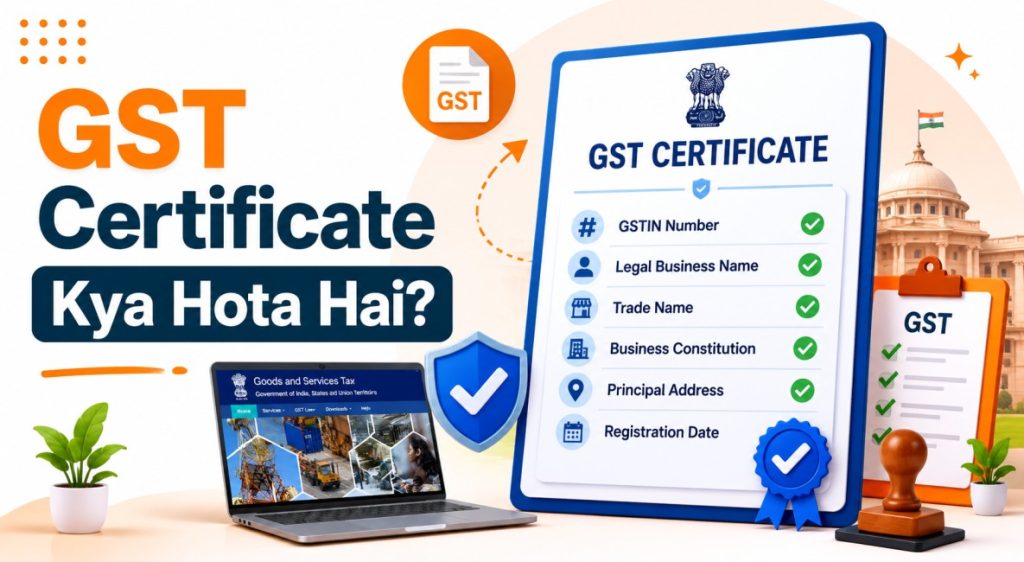
GST registration complete hone ke baad business ko ek official GST registration certificate diya jaata hai jisme:
✅ GST Number
✅ Business Name
✅ Registration Details
✅ Business Address
✅ Registration Type
mention hota hai.
Ye certificate officially prove karta hai ki business GST registered hai.
GST Certificate Ka Use Kaha Hota Hai?
GST certificate multiple business situations me useful hota hai.
| Business verification | Tax-related documentation |
| Online marketplace seller account | Government compliance |
| Bank account process | Vendor verification |
Isliye GST certificate safely save karna important hota hai.
GST Certificate Kaun Download Kar Sakta Hai?
Niche diye gaye users GST certificate download kar sakte hain:
- GST registered businesses
- Proprietors
- Companies
- Partnership firms
- Startups
- Shop owners
Agar GST registration approved hai, to certificate access possible hota hai.
GST Certificate Download Karne Ke Liye Kya Chahiye?
Process start karne se pehle ye details ready rakhein.
Required Details
- GST Username
- Password
- GSTIN Number
- Registered Mobile Number
Additional Requirements
- Internet connection
- Mobile ya laptop
- PDF viewer
Login details accurate honi chahiye.
GST Certificate Download Online Kaise Kare?
Ab chaliye actual process step-by-step samajhte hain.
- Step 1: Official GST Portal Open Karein
Sabse pehle official GST portal open karein.
Aur hamesha official portal hi use karein.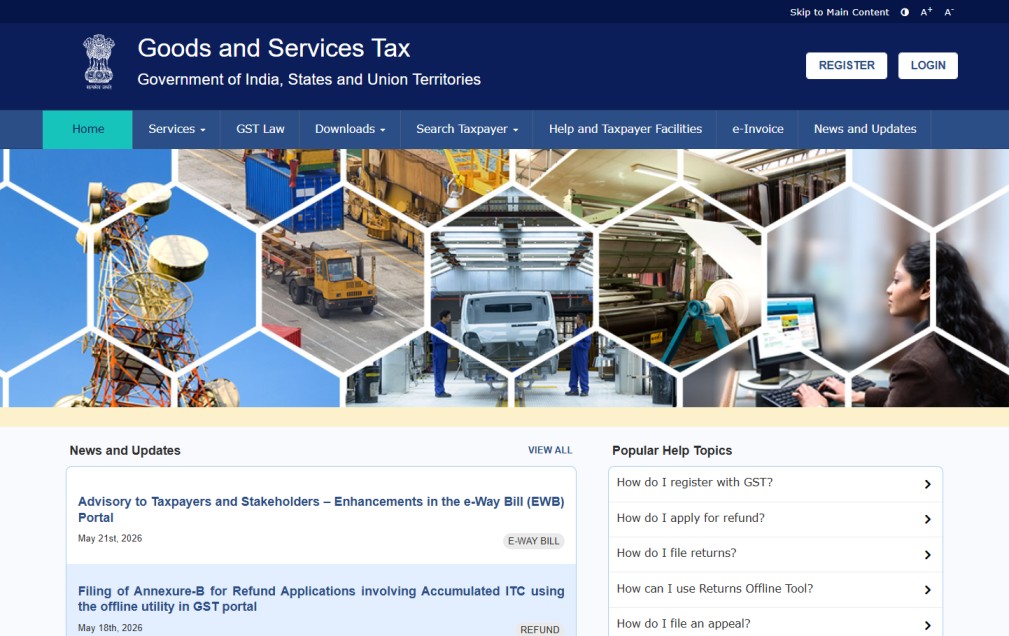
- Step 2: GST Login Karein
Ab apna:
1. Username
2. Password
3. Captcha
Enter karke login karein. Details carefully fill karein. - Step 3: Dashboard Open Karein
Login successful hone ke baad GST dashboard open ho jayega.
Yahi se certificate access hota hai. - Step 4: Services Option Open Karein
Ab menu me:
✅ Services
option open karein. - Step 5: User Services Select Karein
Ab:
✅ User Services
option par click karein. - Step 6: View/Download Certificate Option Open Karein
Ab:
✅ View/Download Certificate option select karein.
Yahi actual GST certificate section hota hai.
- Step 7: GST Certificate PDF Download Karein
Ab GST certificate screen par show ho sakta hai.
Download button par click karke PDF save karein.
Certificate ko safely store karna important hota hai.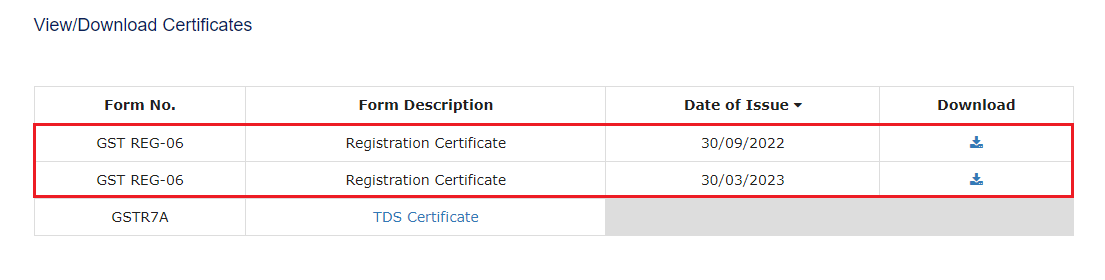
- Step 8: Certificate Details Verify Karein
Download hone ke baad details carefully check karein.
For example:
1. Business Name
2. GST Number
3. Address
4. Registration Date
Agar koi mistake ho to correction process apply karna useful ho sakta hai.
Certificate Me Kya Information Hoti Hai?
Certificate me generally ye details hoti hain:
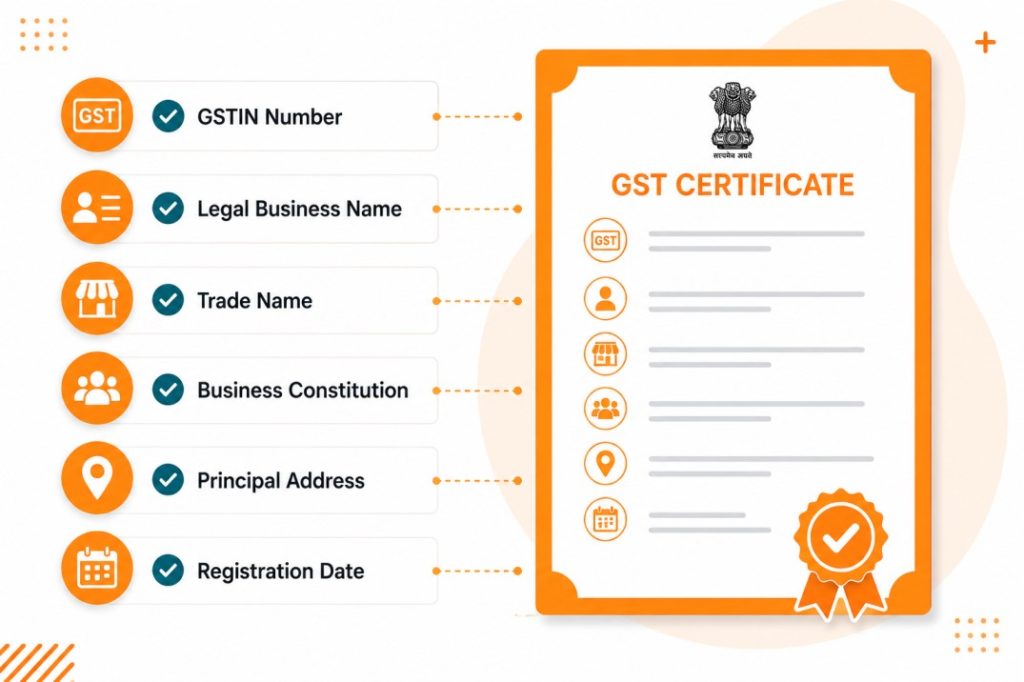
Ye details official business records ke liye important hoti hain.
GST Certificate Download Nahi Ho Raha To Kya Karein?
Kabhi kabhi certificate access issue aa sakta hai.
- Wrong login details
- Slow internet
- Temporary portal issue
- Incorrect GST credentials
Aise cases me details dobara verify karein.

GST Certificate Download Me Common Mistakes
In mistakes ko avoid karna bahut zaroori hai:
- Wrong password use karna
- Fake website open karna
- Incorrect GSTIN enter karna
- Certificate verify na karna
- PDF save na karna
Chhoti mistakes future issue create kar sakti hain.
Important Tips
- Official GST portal hi use karein
- Certificate PDF backup rakhein
- Login details safely maintain karein
- Download ke baad details verify karein
- Fake websites avoid karein
Aur sabse important, GST certificate business records ke liye safely maintain karein.
FAQs – GST Certificate Download
Releted Guide
- GST Number Verify Kaise Kare?
- GST Login Kaise Kare?
- GST Return File Kaise Kare?
- GST Certificate Correction Kaise Kare?
- GST Registration Cancel Kaise Kare?
Final Words (Conclusion)
Ab aap samajh gaye honge ki GST Certificate download kaise kare aur process me kin details ka dhyan rakhna zaroori hai. Agar aap correct login details aur official portal use karoge, to certificate easily download ho sakta hai.
Aur agar aapko GST registration ya GST login process bhi samajhna hai, to hamari related GST Registration guides bhi zarur dekhein.