
Agar aapka TAN allot ho chuka hai aur aap TAN se judi details verify karna chahte hain, to is guide mein hum TAN Certificate Download se judi poori jankari simple Hinglish mein samjhayenge.
Aksar log confuse ho jaate hain ki TAN allot hone ke baad uska certificate ya allotment letter kaise download kare. Kai baar TAN number mil jaata hai lekin official TAN allotment details ko dobara dekhne ya download karne ki zarurat padti hai.

TAN Certificate Kya Hota Hai?
TAN (Tax Deduction and Collection Account Number) allot hone ke baad applicant ko TAN allotment details milti hain jisme:
- TAN Number
- Applicant Name
- Entity Details
- Communication Address
- Application Information
jaise details hoti hain.
Ye document future TDS compliance aur record keeping ke liye useful hota hai.
TAN Certificate Download Karne Se Pehle Kya Chahiye?
Aapke paas:
- TAN Number ya Acknowledgement Number
- Registered Details
- Internet Connection
hona chahiye.
TAN Certificate Download Kaise Kare?
- Step 1: TAN Status Tracking Portal Open Kare
Official TAN tracking portal open kare.
- Step 2: Application Type Select Kare
Dropdown menu mein:
” TAN – New / Change Request “
Select kare. - Step 3: Acknowledgement Number Enter Kare
Application submit karte waqt jo
” Acknowledgement number “
mila tha use enter kare. - Step 4: Verification Complete Kare
Captcha verification complete kare.
- Step 5: Application Status Check Kare
Submit karne ke baad application status screen par show hoga.
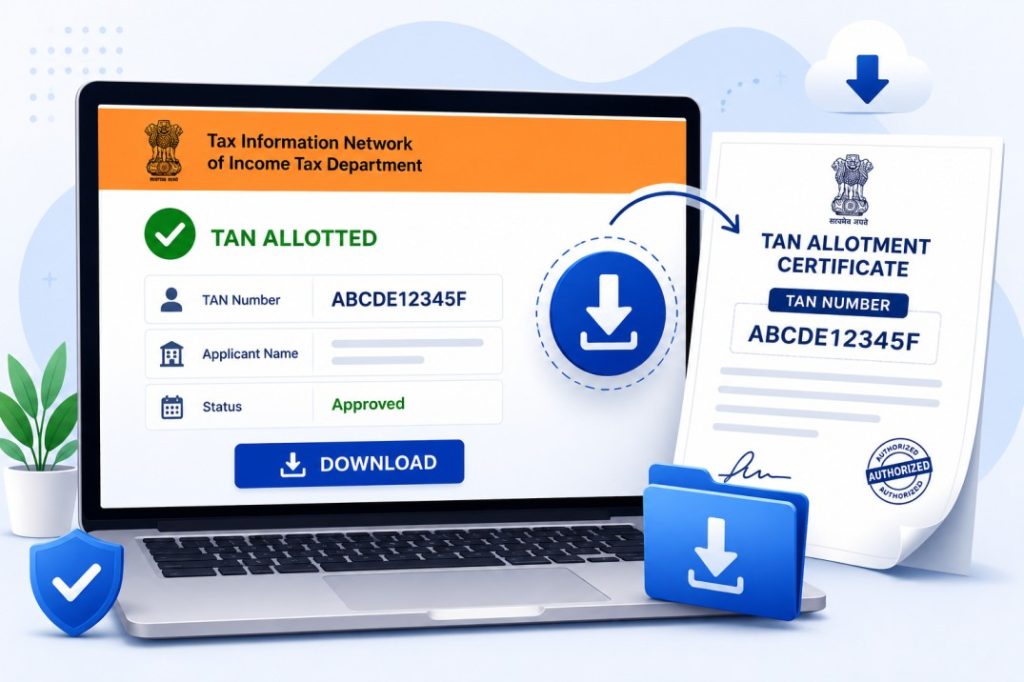
Agar TAN allot ho chuka hai to TAN details verify kar sakte hain. - Step 6: Tan Certificate Download Kare
Application approved hone ke baad aap statement dundh sakte hai
“Click here to download your TAN allotment letter”
Is par click karte hi app TAN Certificate download kar sakte hai.
TAN Allotment Details Kahan Milti Hain?
Approved application mein generally:
- TAN Number
- Applicant Information
- Application Status
show hota hai.
In details ko future reference ke liye save kar sakte hain.
TAN Certificate Download Nahi Ho Raha To Kya Kare?
Incorrect Acknowledgement Number
Galat acknowledgement number enter kiya ho sakta hai.
Solution:
Number dobara carefully check kare.
Application Under Process Hai
Application abhi approve nahi hui ho sakti.
Solution:
Kuch din baad status dobara check kare.
Record Not Found
System update pending ho sakta hai.
Solution:
24–48 hours baad phir try kare.
TAN Certificate Ki Zarurat Kahan Padti Hai?
TAN related documents ki zarurat:
- TDS Filing
- Company Compliance
- Tax Documentation
- Audit Purpose
- Financial Records
mein pad sakti hai.

Common Mistakes
| ❌ Wrong acknowledgement number enter karna |
| ❌ Status check kiye bina certificate search karna |
| ❌ TAN details save na karna |
| ❌ Official portal ke alawa kisi third-party website par bharosa karna |
| ❌ Application approval se pehle download expect karna |
Important Tips
✅ TAN allotment details ka screenshot save kare
✅ TAN Number multiple secure locations par store kare
✅ Status regularly check kare
✅ Official records maintain kare
✅ TDS related filings mein same TAN use kare
Related Guides
- TAN Registration Kaise Kare?
- TAN Status Check Kaise Kare?
- TAN Correction Kaise Kare?
- GST Registration Status Check Kaise Kare?
- PAN Card Status Check Kaise Kare?
FAQs – Frequently Asked Question
Final Words (Conclusion)
Agar aapka TAN allot ho chuka hai to TAN Certificate Download aur TAN allotment details ko save rakhna bahut important hai. Isse future TDS filing, compliance aur tax related kaam aasaan ho jate hain. Upar diye gaye steps follow karke aap TAN application aur allotment details verify kar sakte hain.