
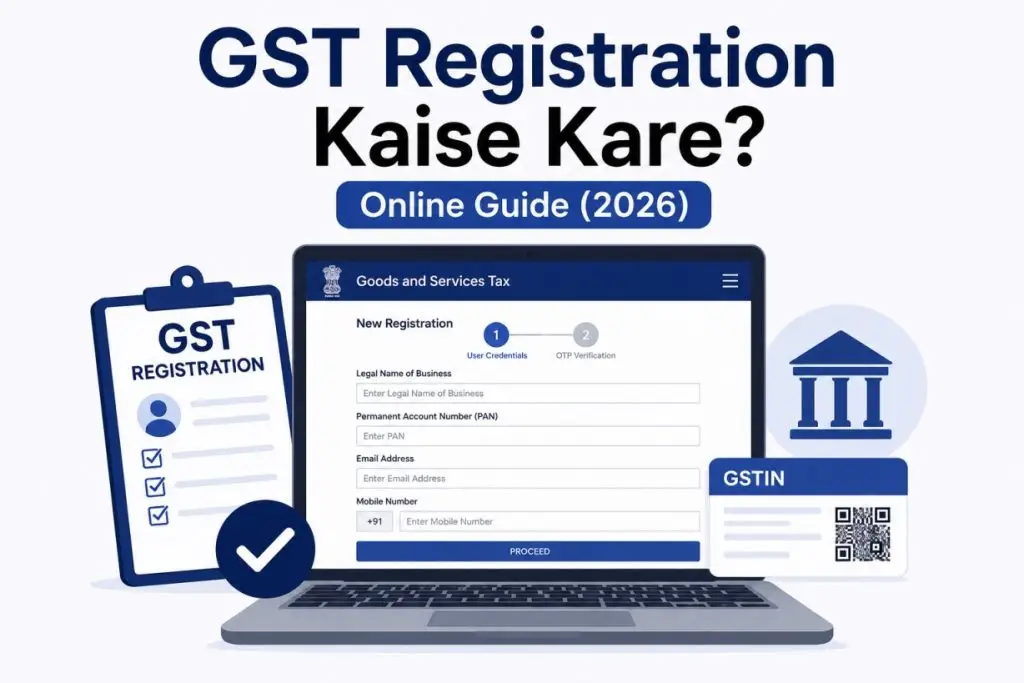

Honestly, bahut log confuse ho jaate hain ki GST registration kaise kare, kab karna zaroori hota hai, kaun apply kar sakta hai, kaunse documents lagenge, aur form ke andar kya bharna hai aur kya nahi.
Agar aap business start kar rahe ho, online selling karte ho, services provide karte ho, ya apna brand build karna chahte ho, to ek stage par aapko GST Registration ki zarurat pad sakti hai.
Is complete guide me hum aapko step-by-step GST registration process samjhayenge. Saath hi, hum common mistakes, required documents, aur important tips bhi cover karenge taaki aap bina confusion ke process complete kar sako.

GST Kya Hai?
Sabse pehle ye samajhna zaroori hai ki GST hota kya hai.
GST ka full form Goods and Services Tax hai.
Ye ek indirect tax system hai jo India me goods aur services par apply hota hai.
Simple words me:
Jab aap koi product sell karte ho ya service provide karte ho, to GST applicable ho sakta hai.
Isliye business owners ke liye GST samajhna bahut important hai.
GST Registration Kaun Kar Sakta Hai?
Niche diye gaye users GST registration ke liye apply kar sakte hain:
- Individual business owners
- Freelancers
- Online sellers
- Service providers
- Agency owners
- Partnership firms
- Companies
- Startups
Important: Eligibility business type aur turnover par depend kar sakti hai.
GST Registration Ke Liye Required Documents
Process start karne se pehle ye documents ready rakhein.
Personal Documents
| 1. PAN Card | 2. Aadhaar Card |
| 3. Passport size photo | 4. Mobile Number |
| 5. Email ID |
Business Documents
| 1. Business PAN | 2. Business address proof |
| 3. Bank account proof | 4. Cancelled cheque |
| 5. Electricity bill (if applicable) |
Entity Documents (if applicable)
| 1. Partnership deed | 2. Company incorporation documents |
| 3. Authorization letter |
GST Registration Online Kaise Kare?
Ab chaliye actual process samajhte hain.
- Step 1: Official GST Portal Open Karein
Sabse pehle official GST registration portal open karein.
Aur hamesha official portal hi use karein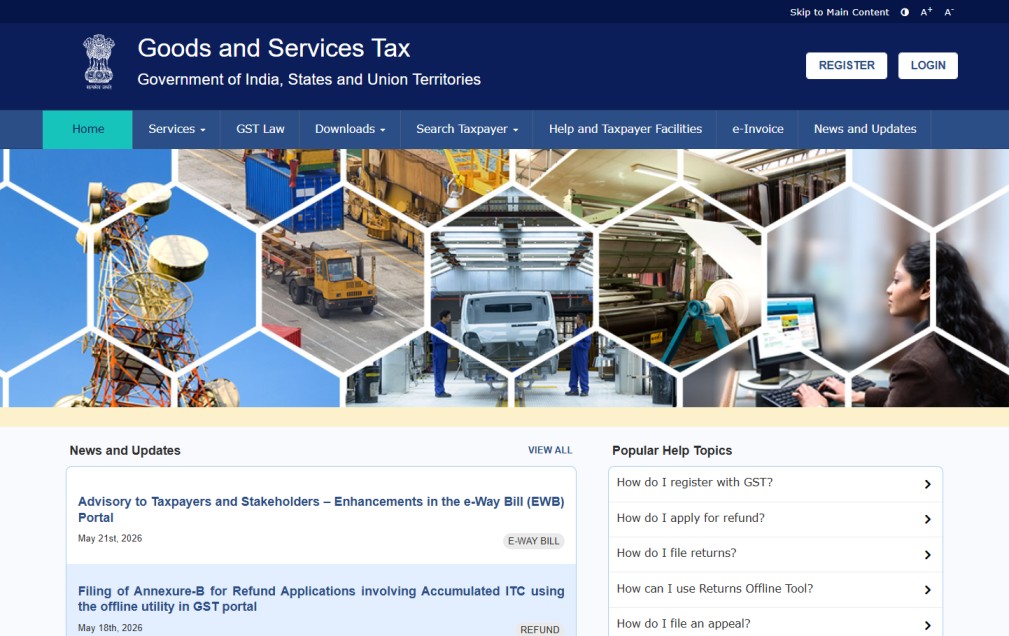
- Step 2: New Registration Option Select Karein
Ab “New Registration” option select karein.
Yahi main registration process hota hai.
- Step 3: Basic Details Fill Karein
Ab aapko basic details fill karni hongi.
For example:
1. Business name
2. PAN number
3. Email ID
4. Mobile number
5. State
Sab details carefully enter karein. - Step 4: OTP Verification Complete Karein
Uske baad mobile aur email verification hoga.
OTP carefully enter karein. - Step 5: Temporary Reference Number Save Karein
Verification ke baad ek application reference number generate ho sakta hai.
Is number ko save karna bahut important hai. - Step 6: Business Details Fill Karein
Ab detailed business information fill karein.
For example:
1. Business type
2. Nature of business
3. Business address
4. Bank details
Yahan mistakes bilkul avoid karein. - Step 7: Documents Upload Karein
Ab required documents upload karein.
Ensure:
1. Documents clear ho
2. Blur na ho
3. Correct format me ho. - Step 8: Final Verification Aur Submit Karein
Finally:
1. Details verify karein
2. Declaration check karein
3. Application submit karein
Aur acknowledgement number save karein.
Us Acknowledgement numbers se aap status check kar sakte ho, Fir detailed verified hone ke baad aap GST Certificate Download kar sakte hai.
Agar aapko nahi pata ki GST Certificate Download kaha se kare to app Meri GST Certificate Download Step by Step Guide follow karke easily download kr sakte ho.
GST Form Me Har Field Me Kya Likhe?
Ab form filling ka most important part samajhte hain.
| 1. Business Name – Wahi name likhein jo documents me hai. Spelling mismatch avoid karein. |
| 2. PAN Number – Business ya applicant ka valid PAN number enter karein. |
| 3. Mobile Number – Active mobile number hi use karein. OTP isi par aa sakta hai. |
| 4. Email ID – Valid email ID enter karein. Future updates yahin receive ho sakti hain. |
| 5. Business Address – Complete address with PIN code fill karein. |
Kaunsi Field Bharni Hai Aur Kaunsi Nahi?

GST Registration Kitne Din Me Hota Hai?
- Initial verification relatively fast ho sakti hai
- Final approval authority verification par depend karta hai
- Document mismatch hone par delay ho sakta hai
Isliye documents sahi upload karna important hai.

GST Application Reject Kyu Hoti Hai?
Kabhi kabhi application reject bhi ho sakti hai.
Common reasons:
- Wrong PAN number
- Blurry documents
- Wrong business address
- Mobile verification fail
- Incomplete application
Lekin agar aap carefully process follow karoge, to ye issues avoid ho sakte hain.
Common Mistakes Avoid Karein
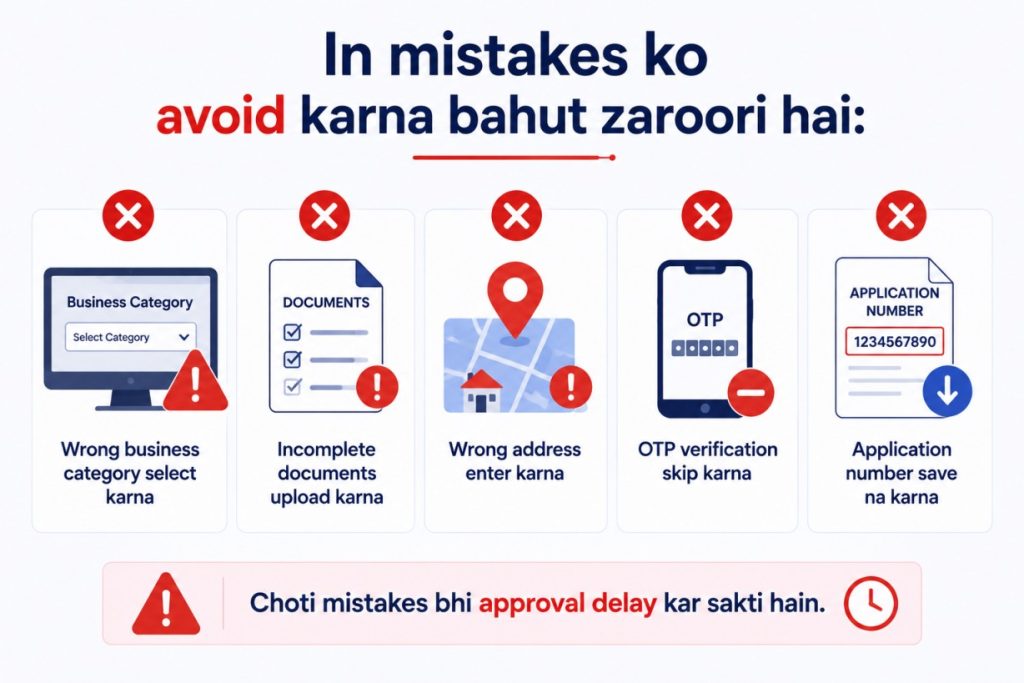
Important Tips
- PAN details pehle verify karein
- Business documents ready rakhein
- Mobile aur email active rakhein
- Application number save karein
- Submit karne se pehle sab details dobara check karein
Aur sabse important, har field documents ke according hi fill karein.
FAQs – GST Registration
Releted Guide
- GST Certificate Download Kaise Kare?
- GST Number Verify Kaise Kare?
- GST Login Kaise Kare?
- GST Return File Kaise Kare?
Final Words (Conclusion)
Ab aap samajh gaye honge ki GST registration kaise kare aur process me kin details ka dhyan rakhna zaroori hai. Agar aap correct documents aur accurate details ke saath apply karoge, to registration process kaafi smooth ho jayega.
Aur agar aap business documents me PAN use kar rahe ho, to hamari PAN Card Ko Aadhaar Se Link Kaise Kare guide bhi zarur dekhein.


